1. Home
  2. Getting started

From payment to the first call.

Five steps. You pay, set your password, add calling credit, import a list, and dial. Choose your plan and seats, then check out.

What happens after you pay.

After you pay, we email you a set-password email with a link. Your workspace is ready once you set your password. If it does not arrive, check your spam folder, then email support@dialbreeze.com.

  1. 1. Pick your plan and seats

    Choose Breeze or Jetstream on the pricing page, set your seat count and check out. Your monthly seat is the software. Calling uses a separate loaded balance at $0.75 per dialing hour.

  2. 2. Set your password

    We email a set-password email to the address you checked out with. Open its link, set your password, and sign in at app.dialbreeze.com.

  3. 3. Add calling credit

    Calling credit is optional at checkout, but you need credit to dial. Add it any time from your dashboard, in $25, $50, $75 or a custom amount in whole dollars from $25 to $2,000. Phone numbers are $5 per month each.

  4. 4. Import a list

    Import a CSV with a phone column into a lead list. Decide which numbers you may call before you import; DialBreeze does not collect, verify or store proof of consent.

  5. 5. Dial

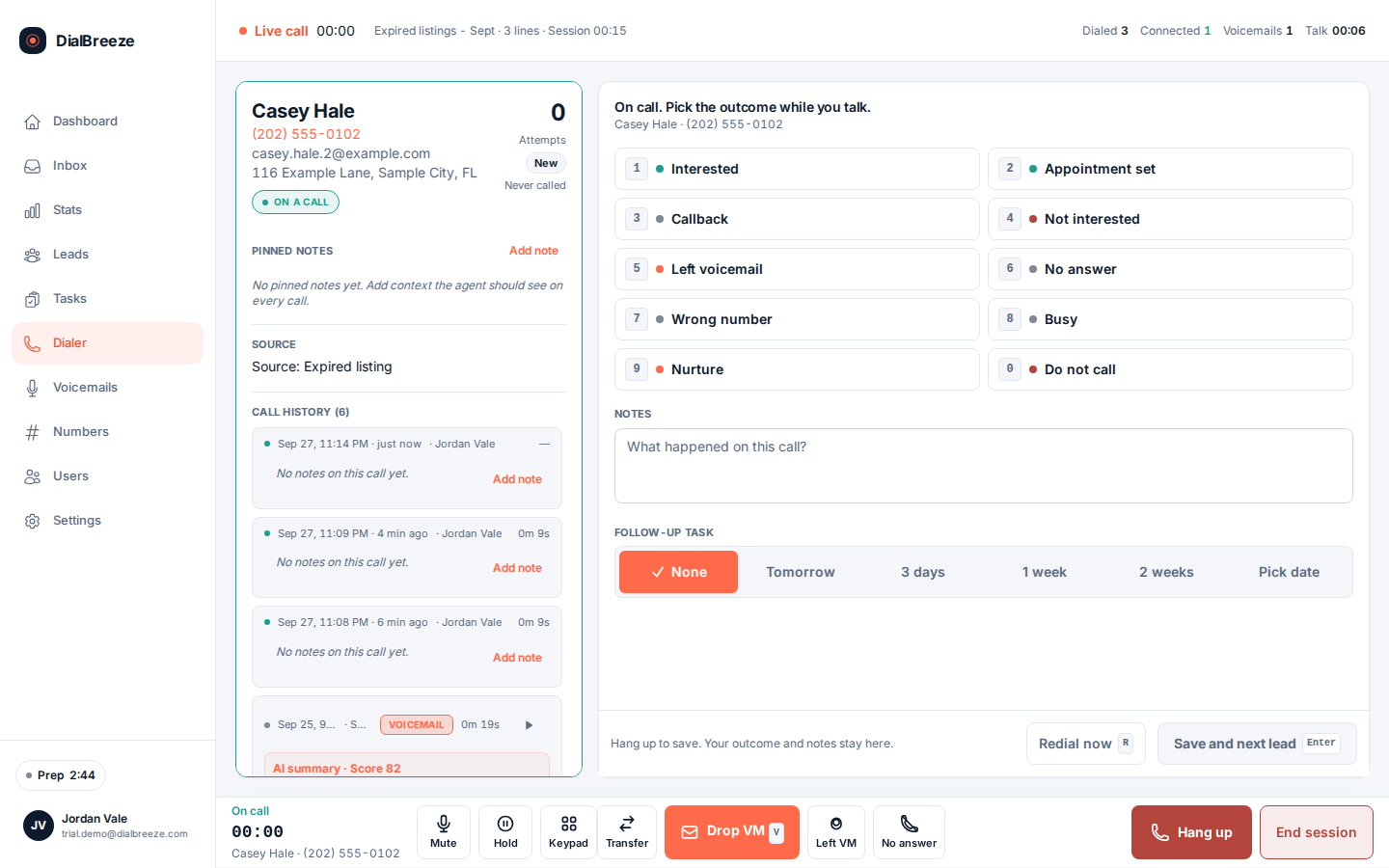
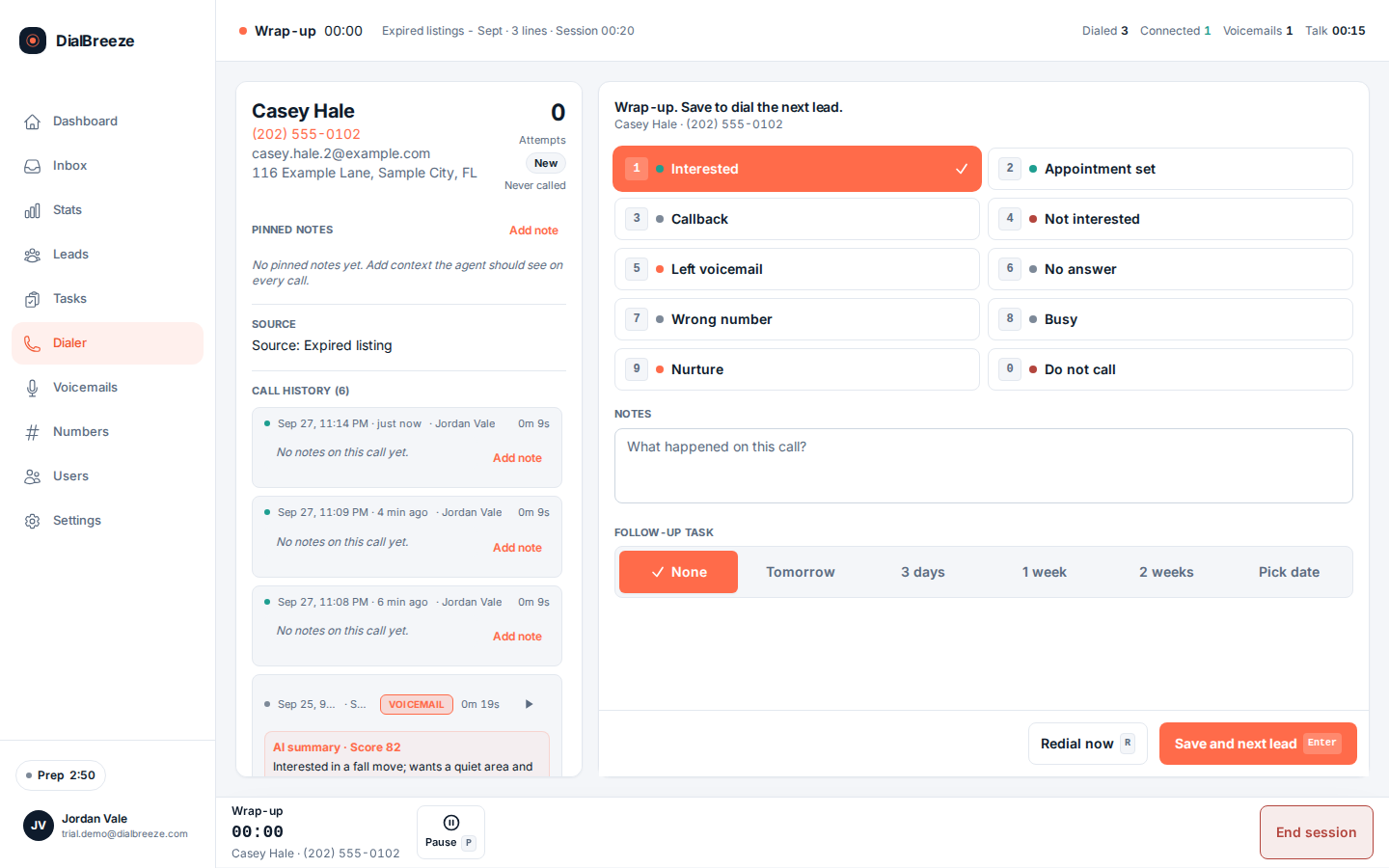
    Open the dialer, pick the list, and start. Breeze is everything faster on one line, with continuous dialing. Jetstream is Breeze with up to three lines. You talk to the person who answers.

How it works.

The dialer itself, in 4 steps, in the order they happen during a session.

Use ← → to step through.

Arrow keys move between steps. Lettered spots on the picture match the list under it.

1

Configure the session

Choose lists, lead statuses and lead lists, and one to three lines. The dialer enforces 8am to 8pm lead-local time, max 2 calls to one number per rolling 24 hours and 15 attempts per lead; customers cannot change these. The session obeys these limits before the first call goes out.
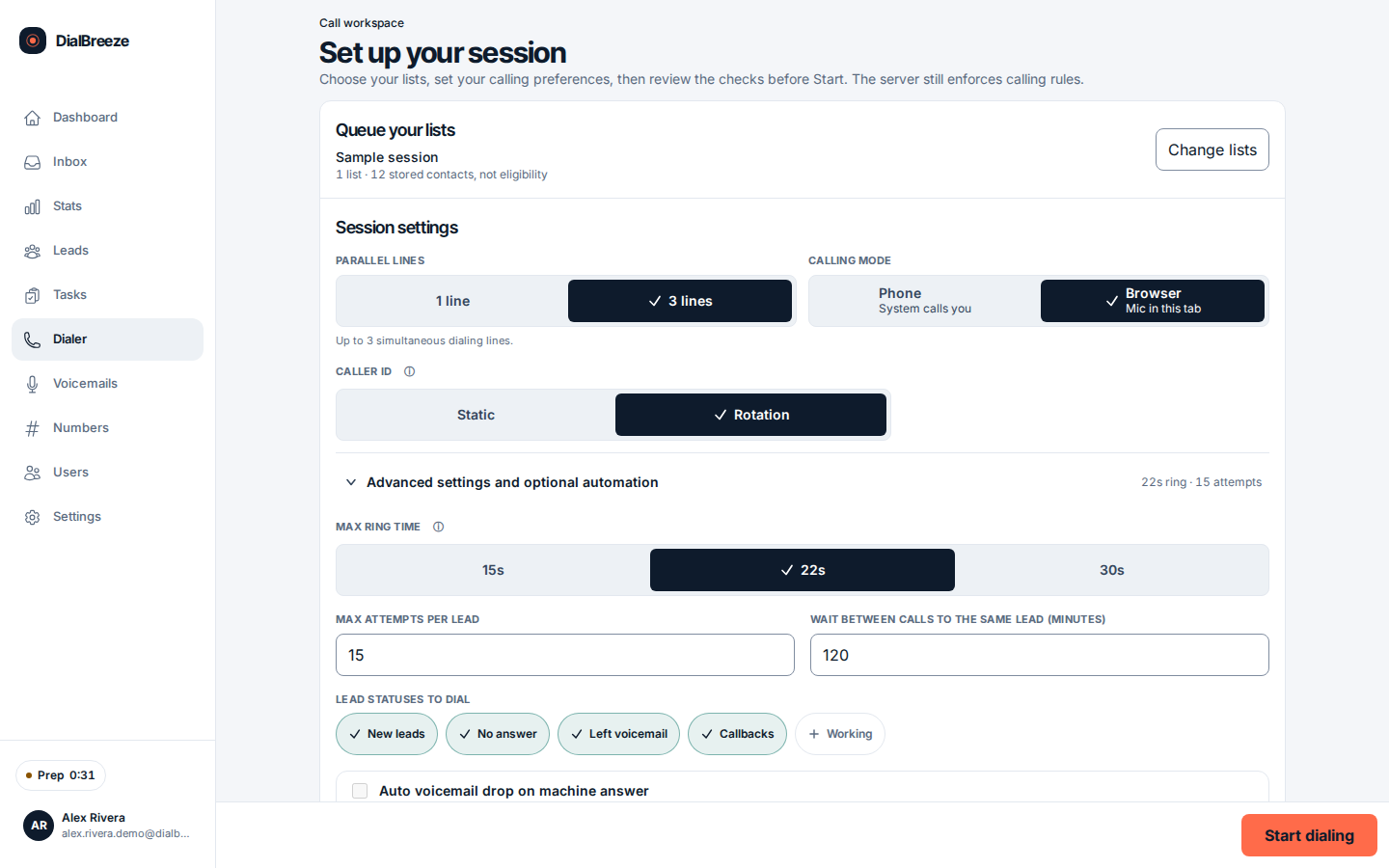
Session setup: one list queued, 3 lines, browser audio, 22 second ring, 15 max attempts, 120 minute wait, lead statuses, and Start dialing Pick the lists that enter this session Line count Start dialing when the queue is set
  1. APick the lists that enter this session
  2. BLine count
  3. CStart dialing when the queue is set
2

The dialer works the queue

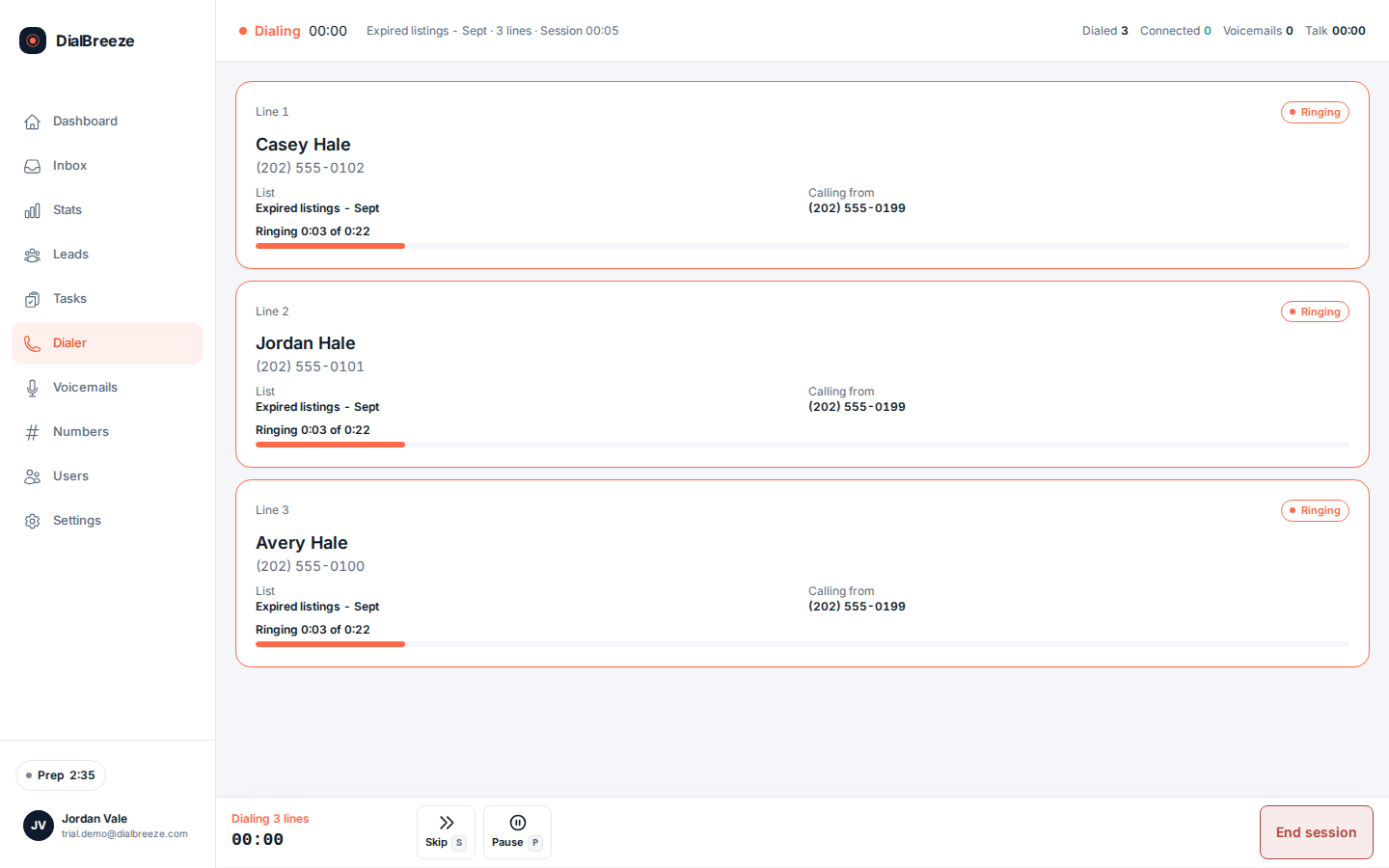
Calls go out from your browser using loaded calling credit. Leads outside quiet hours, on the internal DNC list, past attempt caps, or with invalid numbers are skipped, each with a recorded reason.

Dialing session with three lines for one operator Line 1 ringing, with the lead and the list A second line available on Jetstream Jetstream includes three lines for one operator
  1. ALine 1 ringing, with the lead and the list
  2. BA second line available on Jetstream
  3. CJetstream includes three lines for one operator

The power dialer, in detail

Calling credit and your numbers.

DialBreeze provides the calling and the phone numbers. There is nothing to connect.

  1. Calling credit. Calling is $0.75 per dialing hour, drawn from prepaid credit you load in $25, $50, $75 or a custom amount in whole dollars from $25 to $2,000. Calling credit is optional at checkout, but you need credit to dial. Add it any time from your dashboard.
  2. A number to call from. Phone numbers are $5 per month each.

Pick your plan and seats, check out, set your password. Add calling credit and start dialing. Import an eligible list and confirm your browser microphone access before the first session.

Month to month. Cancel anytime with the link in your receipt email, or just email us. Cancel anytime with the link in your receipt email, or just email us. You keep access through the month you paid for.

What the CSV needs.

Header names can vary in capital letters and spaces. Your own consent and do-not-call review happens before import. DialBreeze does not collect, verify or store proof of consent.

CSV columns
FieldColumn names
Phone (required)phone, phone_number, phone number, primary phone, phone 1, phone1, cell phone, mobile
First namefirst_name, firstname, owner first name
Last namelast_name, lastname, owner last name
Emailemail, email address
City, state, ZIPcity, state, zip
  • One number per row. Ten-digit US numbers are read as +1.
  • You are responsible for having a right to call each person, including the National Do Not Call Registry scrub and any state list.
  • Files can be up to 10 MB. Check the imported rows before you dial.

Ready when you are.

Choose your plan and seats, then check out.

Get startedPricing