1. Home
  2. Features
  3. Voicemail detection and drop

Voicemail detection and drop

Voicemail detection and drop, with your recorded message

When a call reaches a machine, answering-machine detection tags it and you press one key to leave your recorded message. No more sitting through greetings. It is a real time saver with real rules, so here is how detection works, how the drop library is managed, and where the whole thing can be wrong.

Real product interface. Sample data, fictional people and numbers.

How it works.

4 steps, in the order they happen during a session.

  1. 1

    Detection tags the answer

    Each answer is classified as a person or a machine. The label routes the call in the workflow: a person goes to your headset, a machine offers the drop path. Detection errs in both directions, so you stay the final check.

  2. 2

    One hotkey, one message

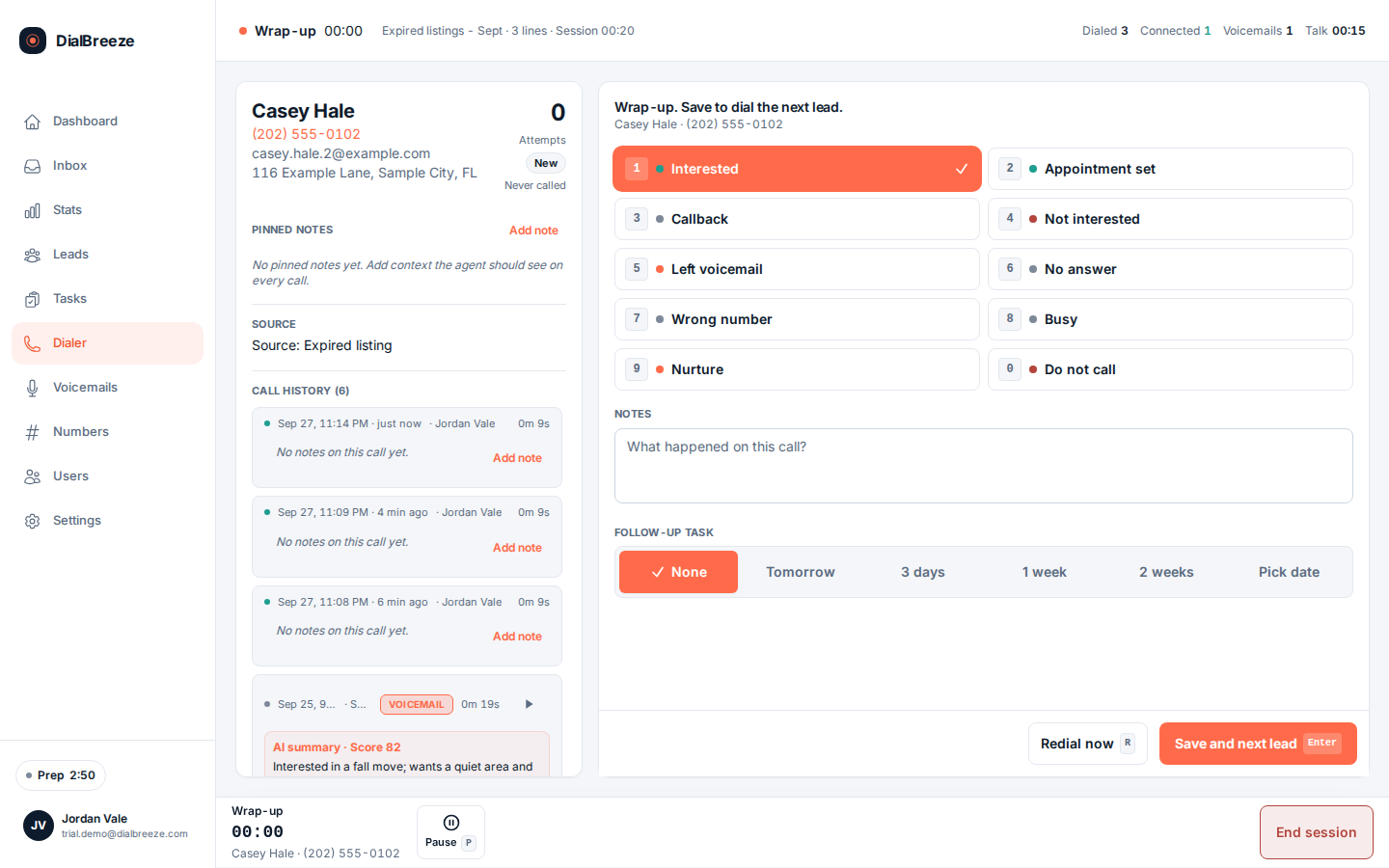
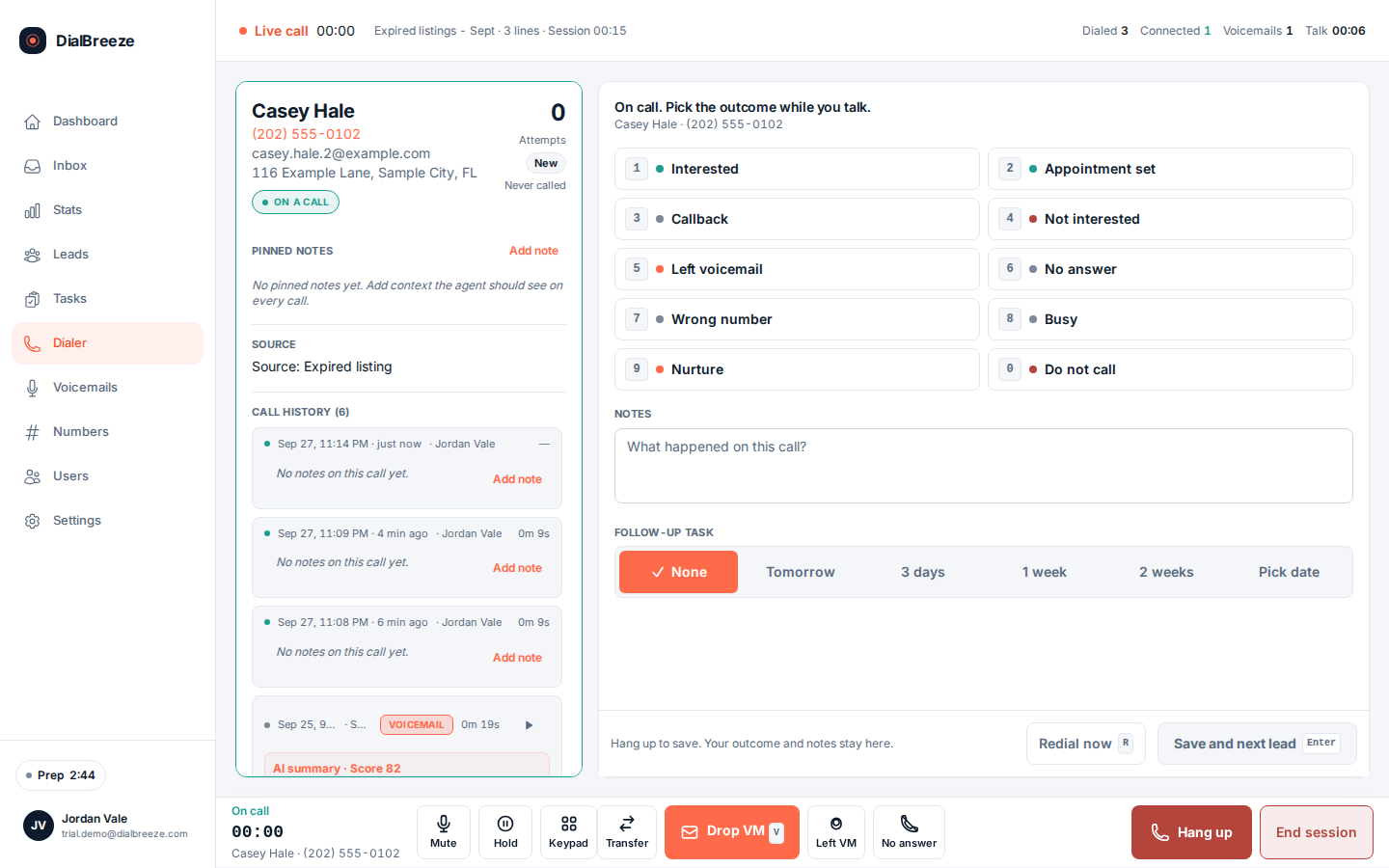
    Press V on a machine answer to play the selected recording from your library. The call is dispositioned as voicemail and the queue moves on. You can also drop without the message and dial the next lead.

  3. 3

    Manage the message library

    Record in the browser or upload an MP3 or WAV, name each message, and mark one as default. The library is yours; the spoken identity and callback details are whatever your message actually says.

  4. 4

    Verify delivery in the sandbox

    Run a mailbox test on the trial's test numbers, then listen to what was actually delivered and check the call record. A drop request is not itself proof the message arrived, so keep the evidence.

The specifics.

What the product does today. Included on every plan, from Solo at $49 per seat.

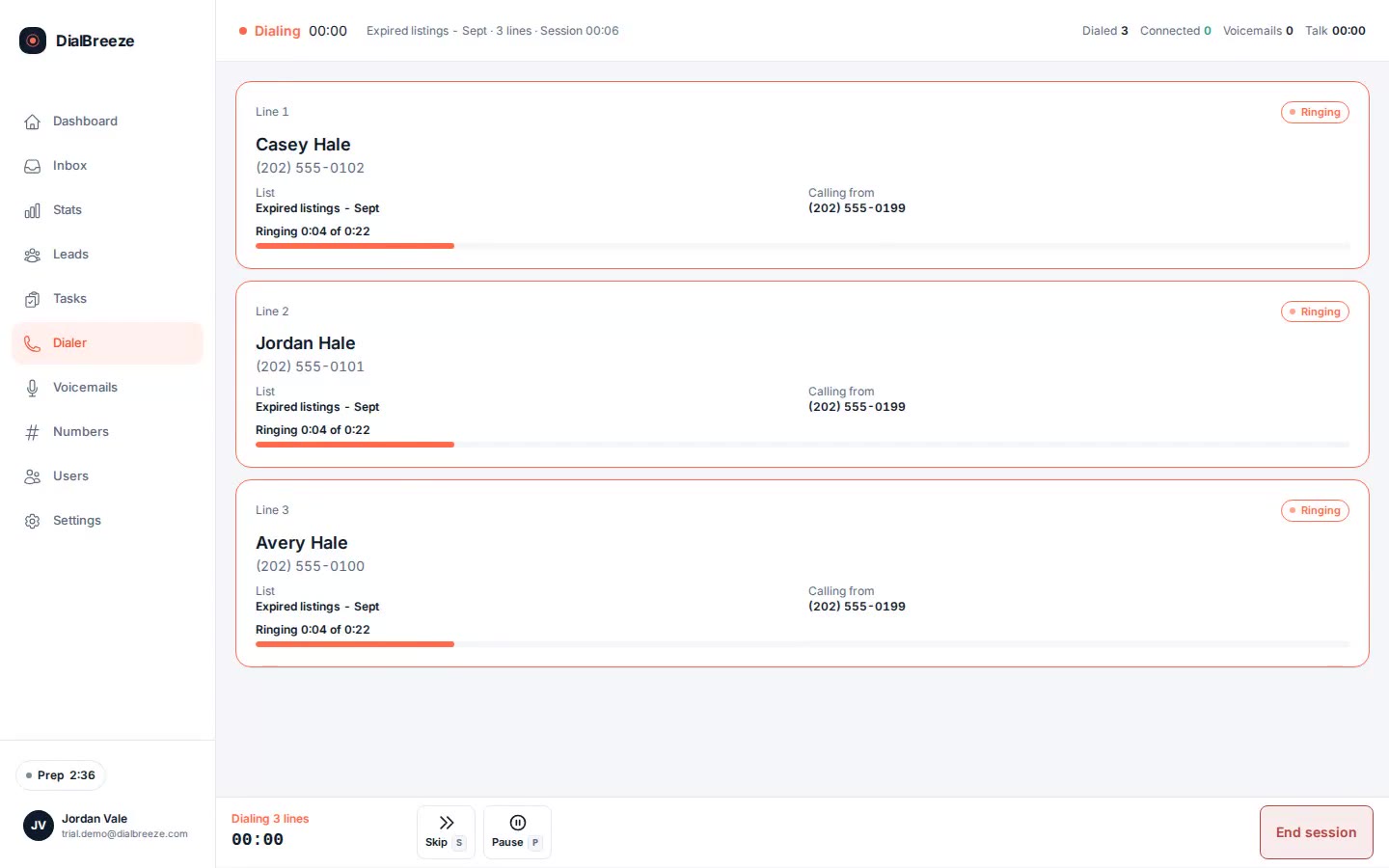
Dialer lanes showing a machine answer on one line and a connected lead on another, with the drop hotkey in the control bar
Real product interface, sample data.
Drop hotkey
Press V on a detected machine to play the selected recording.
Drop library
Record in browser or upload MP3 or WAV; one recording marked default.
Voicemail rate
26.7 percent of dials reached voicemail over a reported 30-day window.
Delivery evidence
Disposition plus the recording; verify the delivered audio in the trial, not the label alone.
Not ringless
The drop rides an ordinary dialed call. There is no ringless voicemail feature.
AI not involved
The message is your recording, not AI speech and not a generated conversation.

What AMD does, and where it errs

Answering-machine detection, AMD, listens to an answer and labels it person or machine. That label is workflow input, not a fact you can bank on. A machine can be treated as a person, and you spend seconds on a greeting. A person can be treated as a machine, which is worse, and an ambiguous case like a receptionist or an automated menu can land either way.

The workflow stays honest about this. The label routes the call, you hear what you hear, and the disposition you set is the record that counts. In production use over a reported 30-day window, 26.7 percent of dials reached voicemail, so the machine path carries real volume. Test the misclassification cases yourself in the sandbox, and record what your fallback is before live lists depend on it.

This is not a claim of accuracy. No detection percentage is promised anywhere in this product, because a number you cannot verify is worse than none.
The message is yours, and so is the permission

The drop library holds messages you record or upload, MP3 or WAV, each named, with one marked default. Nothing is generated for you. The spoken identity, the callback number and the claims in the message are whatever you put on the recording, so listen to the selected file in the account before a campaign depends on it.

A prerecorded message stays prerecorded even when a human chose it. Permission to call, permission to use a prerecorded message and permission to record a conversation are three separate decisions, and the product makes none of them for you. Have the person responsible for your campaign review approve the message and its use before a live list is released.

This page is not legal advice and not a certification that any voicemail campaign is permitted. Your business owns that judgment.

Test delivery before you trust it

The trial runs on a Telnyx sandbox with test numbers, so you can hear a mailbox test end to end without touching a real person. Listen to the beginning and the end of what was delivered, not just the outcome label. Then open the call record and confirm the disposition matches what actually happened.

Separate the two failure types when something looks wrong. A delivery error means the intended audio did not land or landed clipped. A classification error means the answer was labeled wrong and the wrong path ran. They get different fixes, and neither should become a generic voicemail outcome.

For a repeatable problem, pause the affected use and send support the test reference, the time, the selected message and what you expected versus what you heard. Do not reproduce faults by calling real people.

Questions about voicemail detection and drop.

Straight answers. Anything else: email support.

Is the voicemail drop an AI voice?
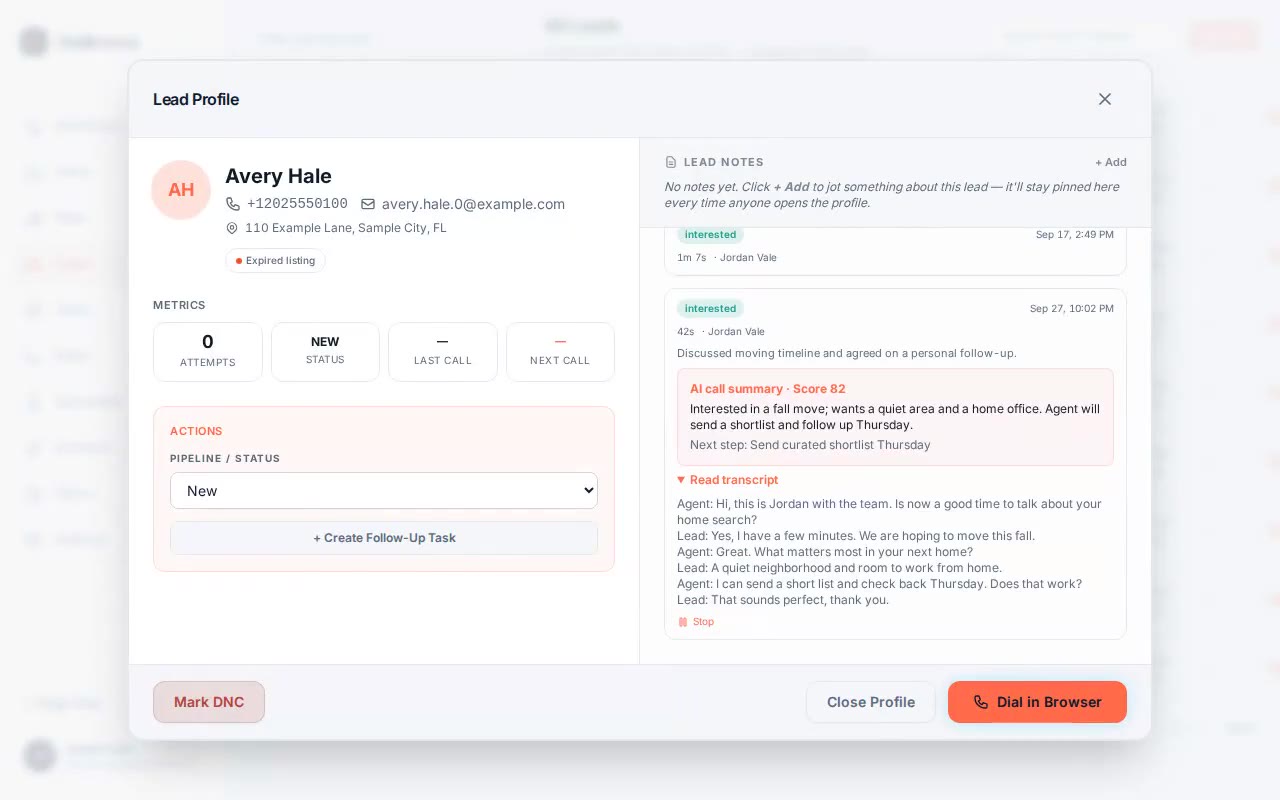
No. The drop plays a recording you made or uploaded yourself. There is no generated voice, no text-to-speech and no AI conversation with the lead. The AI layer only works on recorded calls afterward, producing transcripts, scores and summaries. What the lead hears is exactly the file you recorded, so review its content yourself before use.
How often does detection get it wrong?
No accuracy percentage is claimed, because an unverifiable number would mislead you. Machines get treated as people and people get treated as machines, and unusual greetings can confuse the label. Treat detection as a router that saves you time, not as a verdict. Verify the misclassification cases on test numbers in the trial and decide your fallback before dialing live.
Can I have more than one message?
Yes. The library accepts messages recorded in the browser or uploaded as MP3 or WAV, each with a name, and one marked as the default. Pick the message that matches the campaign you are actually running rather than reusing one recorded for a different purpose. Listen to the selected audio inside the account before you release the list.
What is ringless voicemail, and is this it?
Ringless voicemail means depositing a message without a normal call. DialBreeze does not do that. The drop is part of an ordinary dialed call that the person's phone receives like any call. That distinction matters for how the feature is treated under calling rules, which is exactly why it is stated here plainly.
How do I check a drop actually delivered?
In the trial, run the mailbox test on the provisioned test numbers, then listen to the delivered audio from the call record and compare it with the selected library file. Check the beginning and the end of the message. A request to drop is an instruction, not evidence of delivery, so keep the test reference and the observed result together.

Try it on a real session.

Your 14-day trial runs on a Telnyx sandbox with test numbers; nothing reaches a real person. A human provisions the environment. The 14 days start when it is ready and we email you. No credit card is required. On conversion, you connect your own Telnyx account and real calling lists.

Start a 14-day trialPricing